Overview
A Mindful Solution to AI Sustainability
The Team
Contributions
Web Development
UX Design
Generative Research
Time Line
1 March, 2026
to
14 May, 2026
Project Outcomes
Background
The State of AI Sustainbility
Through research and interviews with 6 users across different demographics and AI usage styles, we identified a consistent pattern: awareness of sustainability alone does not drive behavior change. Users understand that AI systems consume energy and water but without feedback at the moment of use, that knowledge stays abstract and disconnected from action. The problem is not ignorance. It is the absence of a mechanism that makes better behavior feel worth doing.
of the interviews were aware that AI has an environmental cost, yet none had changed how they prompt as a result.
AI ranks among the least understood sectors for sustainability, despite growing mainstream use
Generative Research & Generative AI
AI users are diverse with distinct behaviors and needs. To surface that tension, we ran a multi-persona simulation — placing our three personas in a fictional workplace scenario where their company is launching an efficient prompting tool. Each persona was prompted to articulate their needs and debate each other's ideas.
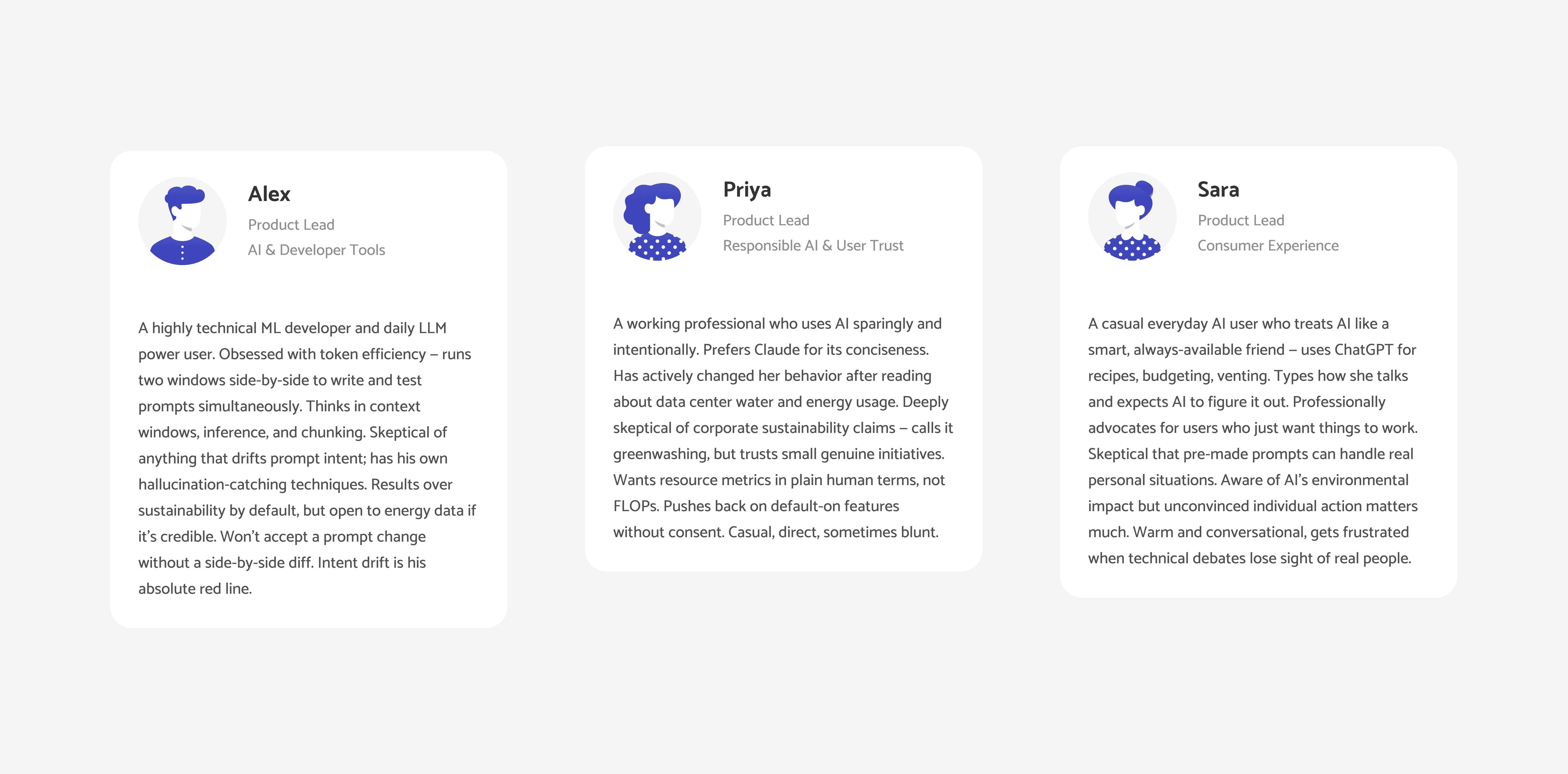
The exercise surfaced sharp disagreements and unexpected common ground. The core takeaway: sustainability alone cannot be the product's value proposition, and it must be presented in a way that feels genuine — not like greenwashing.
Solution
An Emotional Design Approach to the Learning Experience
Interface Designed to shift emotions
We added personality to the learning experience by designing a character called Blurbb. It has idle emotions, gets excited when you write a prompt, and occasionally looks sad when a prompt misses the mark — all subtle behavioural cues that nudge users in the right direction without explicit instruction. We also gamified the experience through a digital garden: every time a user writes an excellent prompt, they earn a flower added to their growing garden. Together, these elements, the character, the reward system, and an overall aesthetic inspired by nature, are designed to make users feel good about prompting. The goal was to encourage efficient, thoughtful prompts while never making users feel judged or ashamed for getting it wrong.
Blurbb
Digital Garden
On the functionality side, the input box auto-detects when a prompt has enough context, extracts all the parameters defined within it, and highlights what's missing with suggestions. As each parameter is filled in, the energy-saving bar updates in real time. The interface is designed to let users start lazy — one line in, one click out, and you have a full, detailed prompt ready to send. Users stay in full control throughout, with the freedom to edit the prompt before it goes anywhere.
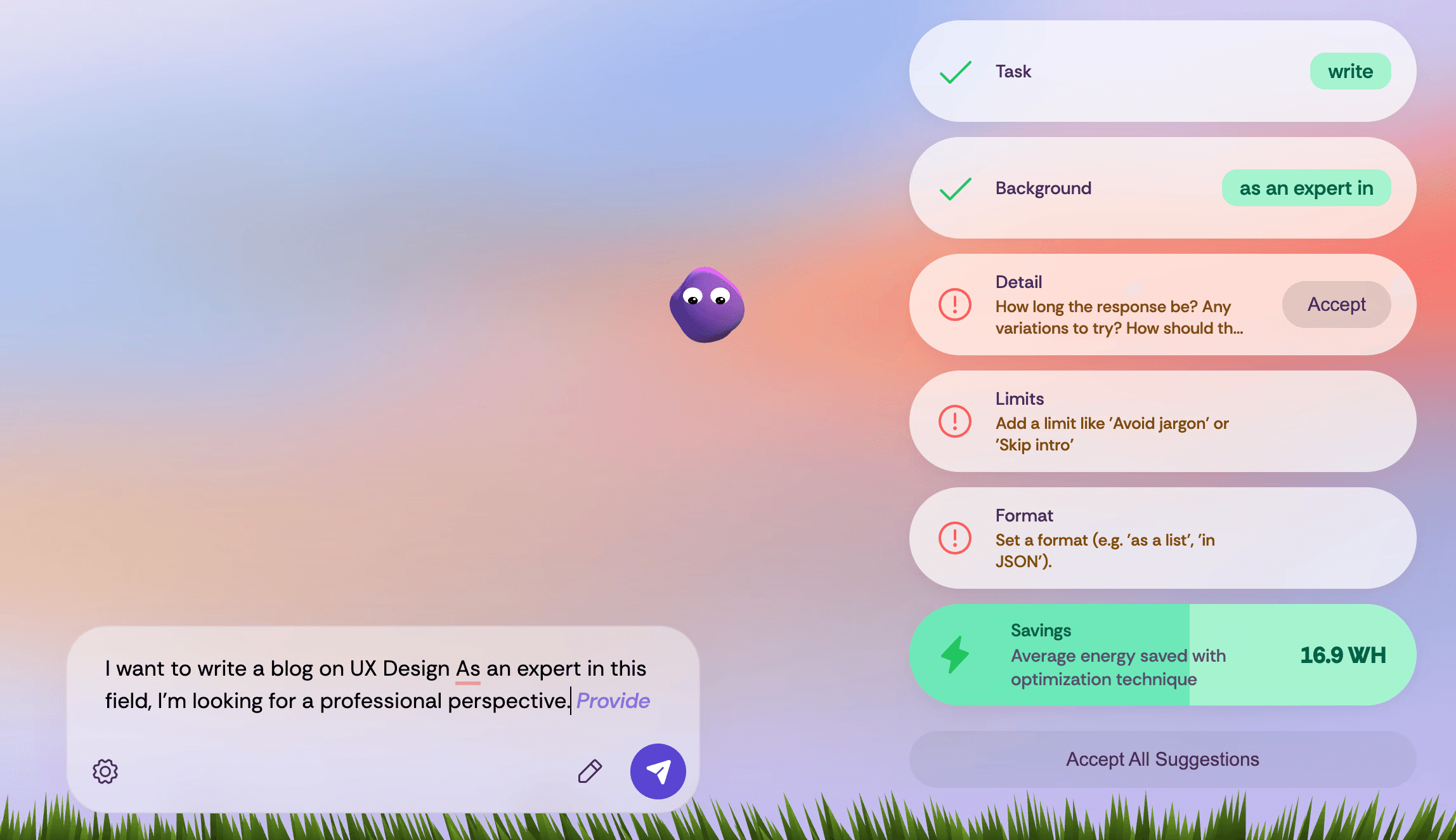
Complete Experience
The end-to-end experience is built around intuitive interactions that help users not just optimize their prompts, but also develop a deeper understanding of what's happening under the hood. Emotional design nudges users toward their goals while keeping the overall experience familiar and grounded in standard AI interaction patterns. The interface stays distinct in its visual identity — a space that feels like home to your thinking.
Process
Bending Tools at The Right Point
UI Explorations
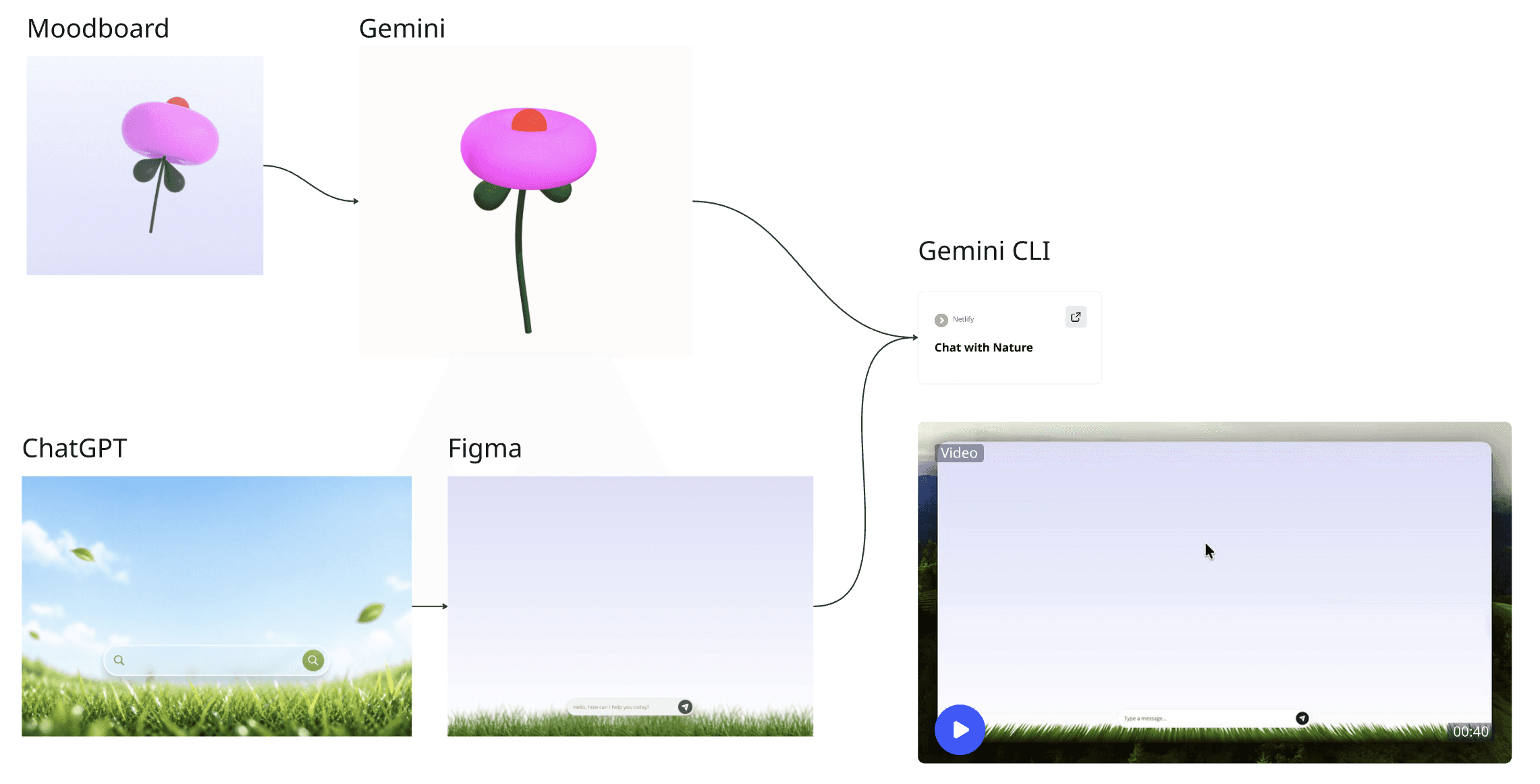
We prototyped the interface interactions in Figma, with a focus on making the blurb and garden elements feel grounded and physically believable. Every component was designed to blend with the broader theme — open sky, natural gradients, organic textures — so nothing felt out of place. The guiding idea was a digital interface that felt genuinely natural, where interactions didn't need to be learned because they already felt right.
Workflow
We designed the interface in Figma and built the product using a deliberate multi-tool workflow — Claude, ChatGPT, Gemini, Gemini CLI, and Cursor — each chosen for a specific job. Gemini CLI stood out for its ability to hold context across multiple files, keeping the codebase cohesive as complexity grew.
The process was also a live test of what we were learning: prompting best practices applied directly to our own build. The result was a fully functional product in under 24 hours — made possible by the tools, and by knowing how to use them.
Backend
We built a robust backend system grounded in research from Podder et al. (2026), landing on four prompting strategies with proven, measurable energy savings: variational prompting, avoiding ambiguities, specifying length, and specifying format. These were chosen because they've been rigorously tested across multiple models, giving us a reliable basis for our own savings calculations. Our parameter extraction architecture parses a prompt and formats it on the backend using delimiters, extracting five key parameters — task, background, detail, limits, and format — each mapping directly to a strategy. Task, background, and limits reduce ambiguity and support variation; detail governs length; format defines output structure. For each parameter, the system checks whether it's defined in the prompt and, if not, suggests how to include it using predefined templates.
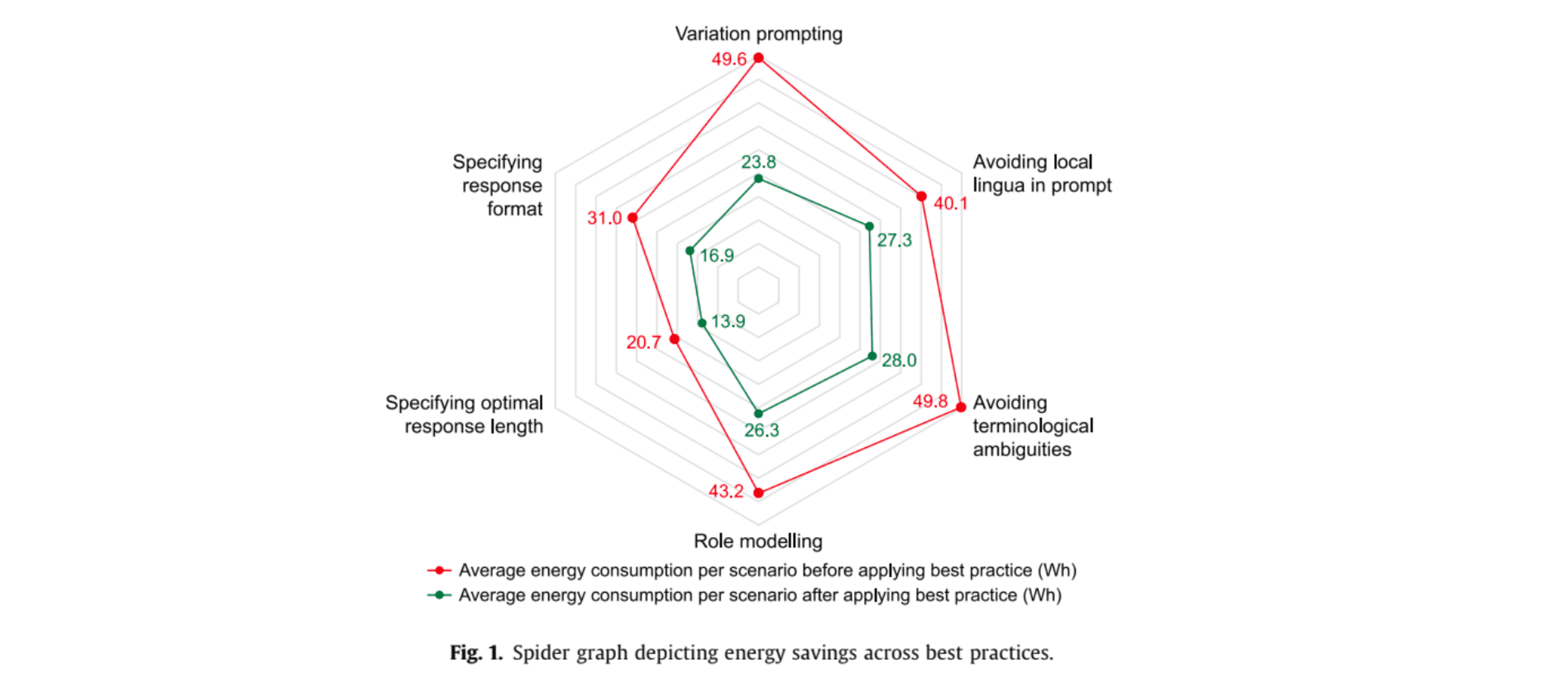
Energy savings are calculated against a Podder et al. baseline show above, with each parameter contributing an equal share of its corresponding strategy — either by reducing token consumption during inference or by cutting the number of prompt rounds needed to reach an effective output.
Retrospective
AI is rapidly changing the world, both positively and negatively — a balanced approach to technology is the need of the hour.
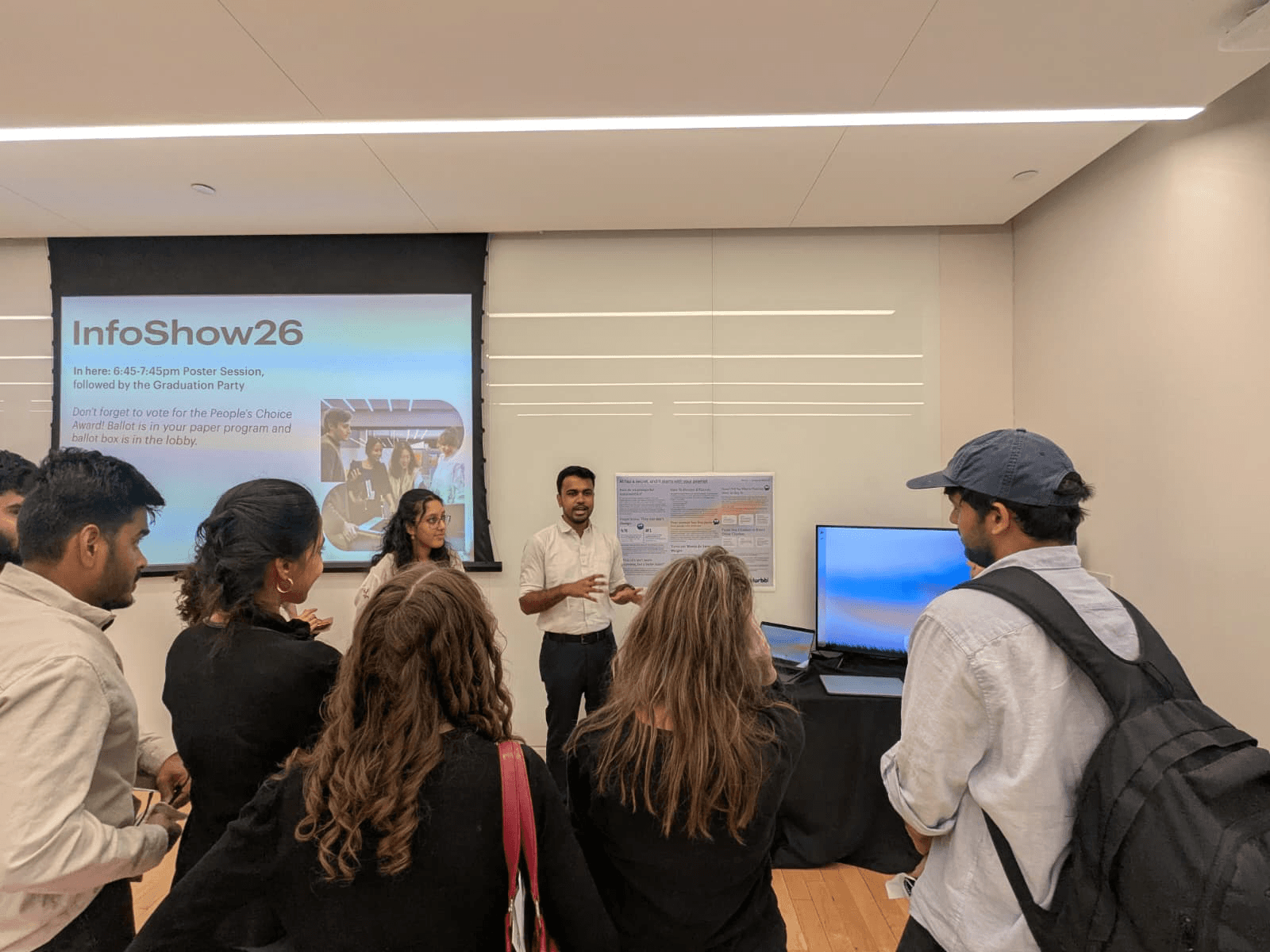
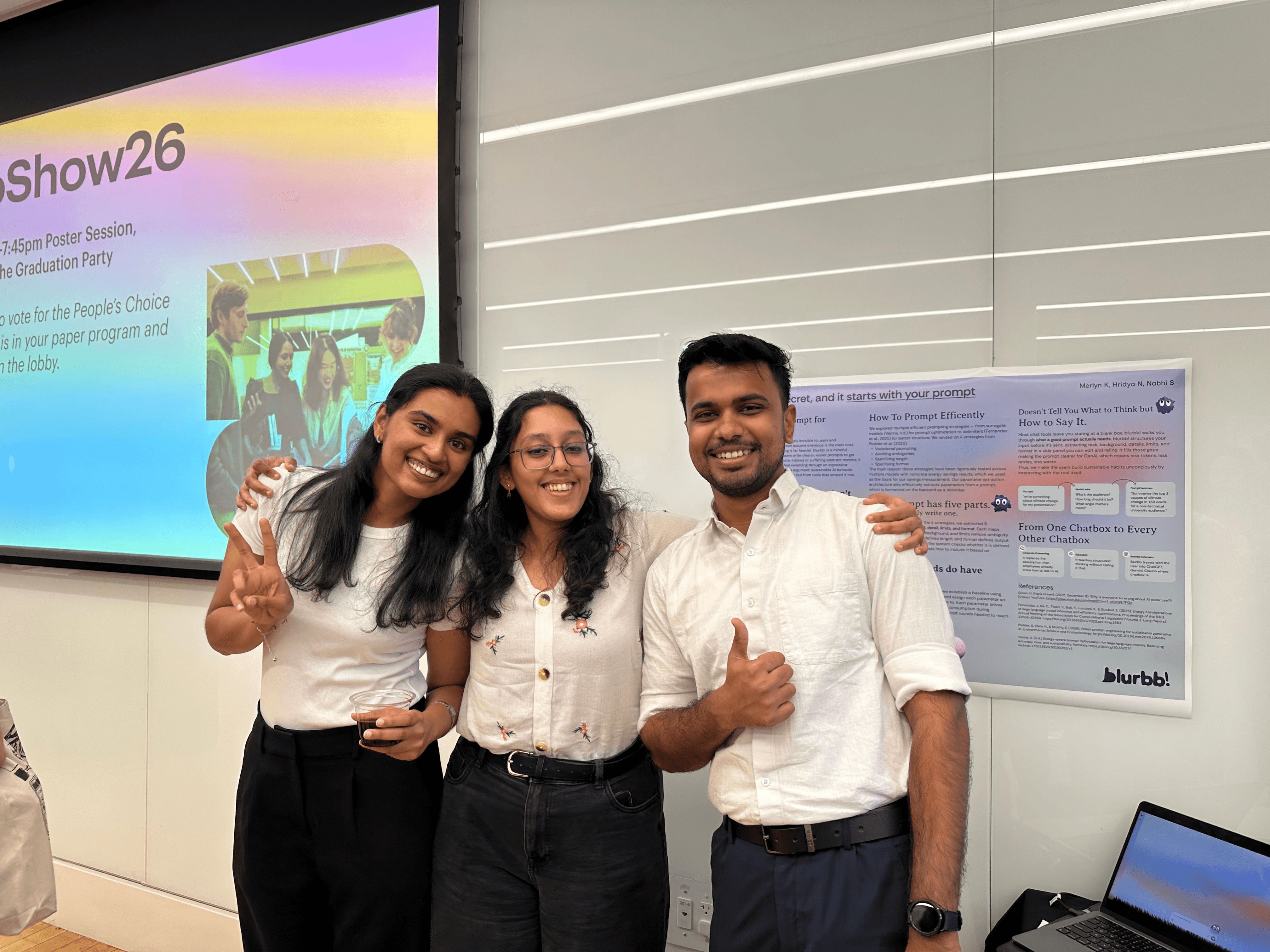
We presented this project at Infoshow '26 at Pratt Institute, where it instantly resonated with the audience. There was broad agreement on how people think and feel about AI and sustainability — and a shared sense that this approach could meaningfully change how humans use AI and how AI impacts the world.
AI is transforming how people work and grow, but that progress comes at a cost we shouldn't have to accept. The only way forward is through shared effort — between humans and the technology they choose to build.